
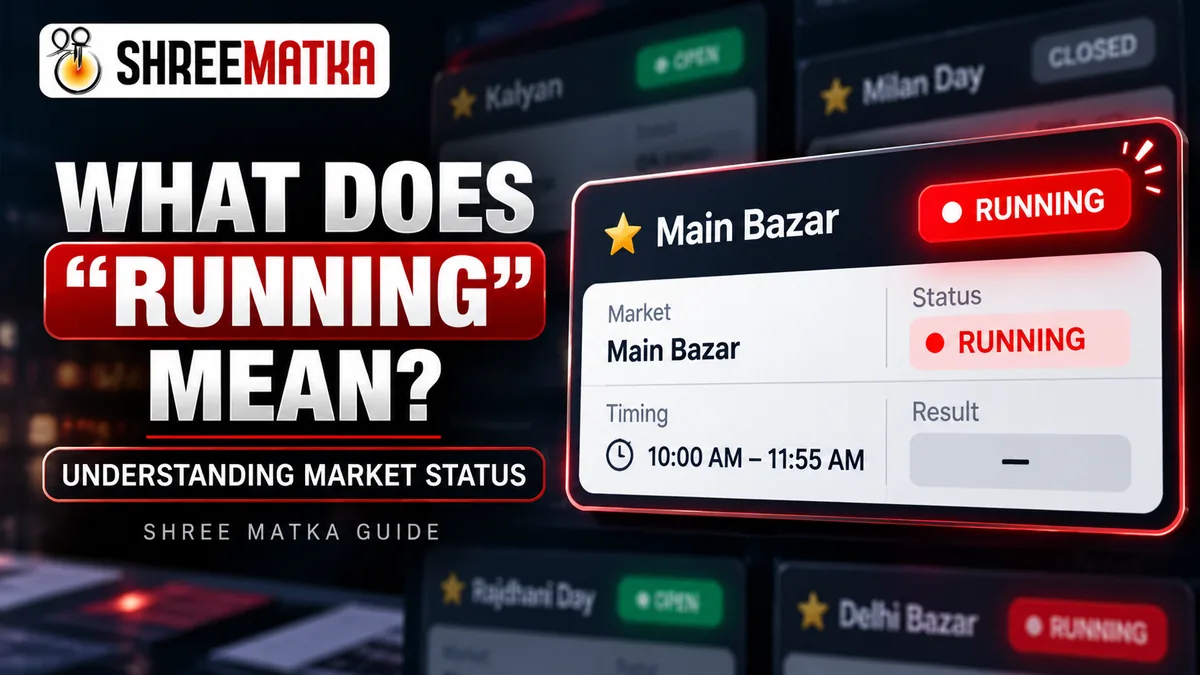
On Shree Matka, “Running” indicates that a market's scheduled Open time has passed, but its Close time has not yet arrived (openTime ≤ current IST time < closeTime). During this operational mid-session window, Open betting has closed, while Close session betting remains active in the app. A “Running” card may show an announced Open result (such as 560-1*-***) or an unannounced placeholder (***-**-***) if the Open draw is still being verified. The label strictly reflects operating time, not result publication.
When visitors open the Shree Matka homepage or check live market boards across the platform, each market card displays a colorful status indicator next to the market title. While traditional market summaries might simply describe whether an entire game is active or closed, Shree Matka implements a more precise, multi-stage status lifecycle to give readers an accurate picture of what is happening on the clock.
One status that frequently raises questions among newer readers is the amber “Running” badge. Does it mean numbers are currently being drawn? Does it mean the result is already available? Can users still participate in the market? This technical guide explains exactly how the backend calculates the “Running” status, how it differs from “Betting Open” and “Closed for Today,” and how to read the information on a market card correctly.
What Does “Running” Mean on Shree Matka?
In the Shree Matka system architecture, “Running” is a time-sensitive operational state representing a market that has started its daily lifecycle but has not yet concluded its final session.
Every traditional main market—such as Kalyan, Main Bazar, or Milan Day—is divided into two distinct draw sessions: an Open session and a Close session. These sessions are separated by an operating window that typically spans one to two hours:
- Before Open Time: The market is preparing for its first draw. Players can participate in both Open and Close sessions. The system classifies this state as
UPCOMING, displaying the green Betting Open badge. - Between Open Time and Close Time: The Open cutoff has passed. The Open session draw is either underway, finalized, or awaiting verification. However, the Close session cutoff has not yet arrived. The system classifies this state as
RUNNING(orOPEN_RUNNINGin the backend API), displaying the amber Running badge. - After Close Time: Both draw deadlines have passed. The market has concluded its cycle for that day. The system classifies this state as
CLOSED, displaying the red Closed for Today badge.
Therefore, the “Running” label is not a generic marketing phrase or an indicator of live server load. It is a deterministic, clock-governed interval confirming that the market is in the intermediate phase between its first scheduled draw and its final scheduled draw.
Running vs Betting Open vs Closed for Today
To understand how the Shree Matka interface organizes market cards throughout the day, it is helpful to compare the three core status badges side by side.
| Status Badge | Visual Style | Active Condition (IST) | Allowed Sessions | Displayed Result Format | What the Reader Should Check |
|---|---|---|---|---|---|
| Betting Open | Betting Open | now < openTime |
Open and Close sessions | ***-**-*** |
Check the opening time to see how much time remains before the first session closes. |
| Running | Running | openTime ≤ now < closeTime |
Close session only | 560-1*-*** or ***-**-*** |
Check whether the Open Panna and Open Ank have been declared, and note the upcoming Close deadline. |
| Closed for Today | Closed for Today | now ≥ closeTime or scheduled off |
None (all closed) | 560-14-400 or holiday notice |
Review the finalized 8-digit daily outcome or check historical chart archives. |
Notice how the allowed session permissions shift between these states. In the mobile application API (/api/v1/user/market-state/{id}), when a market transitions from PRE_OPEN to OPEN_RUNNING, the platform automatically disables wagers on the Open session while keeping the Close session open. This prevents late entries after the Open cutoff while allowing participants to study the confirmed Open digit before deciding on Close wagers.
How Market Timing Affects the Displayed Status
The status displayed on every market card is computed strictly by evaluating the server's current clock against the market's configured schedule. Several technical elements govern this calculation:
1. Universal Indian Standard Time (IST) Alignment
Shree Matka's backend services and database records operate exclusively on Indian Standard Time (Asia/Kolkata, UTC+05:30). When the controller evaluates whether a market is upcoming, running, or closed, it calls the internal clock service:
LocalTime nowTime = marketService.getCurrentTimeIST();
Because this check occurs on the server before generating the page HTML, the status is consistent regardless of where in the world the visitor is physically located. If a reader accesses the site from Dubai, London, or Singapore, the status displayed on the card reflects whether the market is running according to IST, not the reader's local device clock.
2. Overnight Markets Crossing Midnight
While most markets begin and conclude within the same daytime window (for example, Open at 10:00 AM and Close at 11:00 AM), several evening markets cross the midnight boundary (for instance, an Open draw at 10:00 PM and a Close draw at 12:10 AM the following morning).
In such cases, openTime is numerically greater than closeTime. The Shree Matka codebase handles this cleanly with an overnight boundary rule:
- Between the morning reset time (
05:00 AM IST) and the Open time (10:00 PM IST), the market displays Betting Open. - Between
10:00 PMand midnight, and extending past midnight until12:10 AM, the market displays Running. - After
12:10 AMuntil the morning reset, the market displays Closed for Today.
3. Scheduled Holidays and Off Days
Certain markets do not conduct draws on weekends or specific weekdays. Before checking the clock, the system checks whether the market is marked as closed for the current day of the week in the weekday configuration (weekdaySettingRepository). If today is an off day, the status immediately defaults to CLOSED_TODAY, displaying Closed for Today regardless of what time of day you view the page.
Track Live Market Status on the Official App
Receive real-time notifications when your favorite markets switch from Betting Open to Running.
Does “Running” Mean the Result Is Available?
A very common misunderstanding among visitors is assuming that once a market badge turns amber and displays “Running,” its complete outcome has been published.
The direct answer is no: “Running” indicates operating time, not result availability.
Here is how the result box (market-result-display) behaves across the market's lifecycle:
-
Before Open (Status: Betting Open): The result box displays
***-**-***. Neither session has commenced, and all three segments remain hidden. -
During the Running Window (Status: Running):
- If the Open result is still being verified: The card continues displaying
***-**-***even while the badge shows “Running”. The clock has passed the opening threshold, but the numbers have not yet been approved for publishing. - Once the Open result is officially declared: The card updates to reveal the Open 3-digit Panna and the calculated Open single Ank, followed by an asterisk placeholder for the pending Close draw (for example,
560-1*-***).
- If the Open result is still being verified: The card continues displaying
-
After Close (Status: Closed for Today): Once both the Open and Close draws are finalized, the card displays the completed 8-digit outcome (such as
560-14-400).
Understanding the role of the asterisk placeholder (*) prevents confusion. In 560-1*-***, the Open panel 560 and single digit 1 are confirmed, but the Close single digit and Close panel remain undetermined until the market officially closes.
Why a Market Status May Look Unexpected
If a market status on your screen does not seem to match what you expect, one of several common technical factors is usually responsible:
- Stale Browser Cache: Web browsers frequently cache HTML pages to conserve mobile data. If you have had the Shree Matka homepage open in a background browser tab for several hours, your device may still show the morning status badge. Performing a hard refresh (pulling down to refresh on mobile, or pressing Ctrl+F5 on desktop) fetches the latest server-generated page.
-
Local Device Clock Differences: If your computer or smartphone clock is set to a different timezone or running several minutes fast or slow, comparing your local watch against the market's schedule will create an apparent mismatch. Remember that the platform's internal logic strictly follows atomic Indian Standard Time (
Asia/Kolkata). - Result Announcement Intervals: In rare cases, a market may show “Running” while its Open result still displays asterisks. This occurs when the cutoff time has arrived (closing open wagers), but the official draw numbers are undergoing backend verification before publication.
- Weekend Schedule Configurations: Seeing “Closed for Today” at 11:00 AM on a market that usually runs at noon usually means today is a designated holiday or weekly rest day for that regional board.
How to Read the Information on a Market Card
Every market card on the Shree Matka homepage is engineered to deliver all critical market data in a compact, highly scannable layout. Here is a breakdown of the fields visible on an active card:
Analyzing the sample card above reveals each functional component:
-
Market Name: Displayed prominently in bold capital letters at the top left (e.g.,
MANGAL NIGHT). -
Status Badge: Positioned at the top right, indicating the current operational phase (
Runningin amber). -
Time Schedule: Displays the market's official opening and closing hours in IST (
10:00 PM - 12:00 AM). -
Result Display: The central numerical box. In this example (
270-9*-***), the Open session has declared panel270with Ank9((2+7+0) % 10 = 9), while the Close draw remains pending. - Historical Chart Links: Quick navigation links connecting directly to the market's Jodi Chart (weekly matrix) and Panel (Panna) Chart (complete 8-digit history).
- Play Now Button: A direct action link allowing users to access the official mobile application to place wagers on eligible active sessions.
If you are interested in exploring other distinct sections of the website, you can also consult our guides on the Shree Matka Jackpot Section or learn about the differences in our Starline vs Main Market Guide.
Frequently Asked Questions
What does “Running” mean on a Shree Matka market card?
openTime ≤ current IST time < closeTime). During this interval, Open session betting is closed, Close session betting remains active in the mobile app, and the market is progressing towards its concluding draw.
Is “Running” the same as “Betting Open”?
Does a running market always show an Open result?
560-1*-***). However, if the Open session time has arrived but the official result is still pending verification or input, the card continues displaying placeholder asterisks (***-**-***) while retaining the “Running” status.
What does an asterisk in a result like 560-1*-*** mean?
560-1*-***, 560 is the confirmed Open Panna and 1 is the Open Ank. The asterisk in 1* indicates the Close Ank has not yet been declared, and *** represents the unannounced 3-digit Close Panna.
Why does a market card show “Closed for Today” in the morning?
Does the market card status update automatically without refreshing?
What timezone governs Shree Matka market card timings?
Conclusion
Understanding what “Running” means on a Shree Matka market card boils down to separating operational timing from numerical result delivery. When a card displays the amber Running badge, it confirms that the market has crossed its opening threshold and is actively progressing toward its closing deadline. Open session wagers are closed, Close session wagers remain active, and any declared Open numbers will appear alongside placeholder asterisks until the day's final numbers are certified.
By checking both the status badge and the timing schedule on your screen, you can always determine exactly where any market stands in its daily draw cycle.
Download the Official Shree Matka App
Track real-time draw declarations, view active market countdown timers, and manage your participation directly from your Android phone.
Download App
Comments (0)
Loading comments...